 alt Hacker News
Compare to Aqua and Platinum where every resizable window/pane had a big square drag target clearly labeled as such with some diagonal lines:
https://guidebookgallery.org/pics/gui/system/managers/filema...
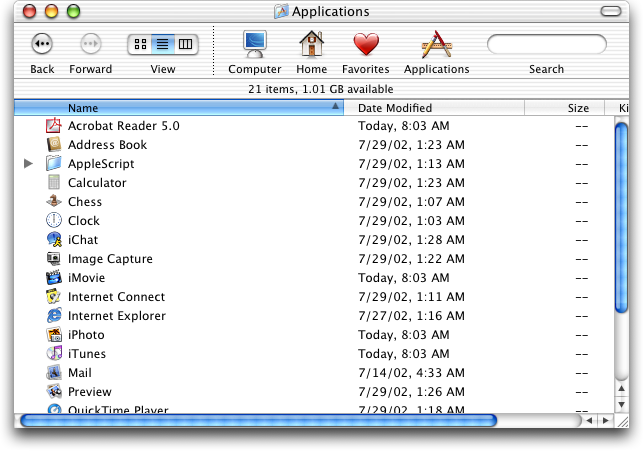
https://guidebookgallery.org/pics/gui/system/managers/filema...

Replies
It should be noted the drag handle was removed back in Lion. And the square cutout was removed in Panther, both of which were iterations of Aqua.
(and yes Lion was garbage, first upgrade I skipped since Tiger, and definitely the first "what the fuck are they doing").
Note that downside: you could only resize from that bottom right corner, not from any other edge!
I do think that was better overall, and it's something I miss about Snow Leopard, but I can see why they changed it.
Better in that it was clear, but worse that you had to resize from the bottom right. Made expanding to the left, or up, very annoying. I'd take the current situation over this.
Windows also used to have a "grip" indicator. Nowadays I only see this in resziable textboxes in browsers...
It also - as seen in that screenshot, had large, always visible scrollbars where it was easy to see how far down you were in a folder or document, and could easily click and drag to scroll to where you needed. Now in the service of minimalism we have scrollbars that consist of a thin, semi-transparent line that fades out after half a second and is nearly impossible to click and drag due to how small it is.